Ask most restaurant owners what their billing software does and they'll say: "It prints the bill." That's a bit like saying a smartphone "makes calls." Modern restaurant billing software is the operational backbone of your venue — it touches every order, every payment, every GST filing, and every end-of-day report. Choosing the right one is one of the most consequential technology decisions you'll make.
This guide covers what billing software actually does at a functional level, the eight features that matter most in the Indian market, common pain points with legacy or poor-quality systems, what different pricing models look like, and the red flags to watch for before you sign a contract.
What Restaurant Billing Software Actually Does
Good billing software does far more than generate a printout at the end of a meal. It is the system of record for your entire revenue operation. Here's what it manages day to day:
- Order capture — Taking orders from servers (or directly from guests via QR menus) and routing them to the kitchen or bar
- KOT management — Generating and tracking Kitchen Order Tickets so nothing falls through the cracks
- Table and session tracking — Monitoring which tables are occupied, for how long, and what they've ordered
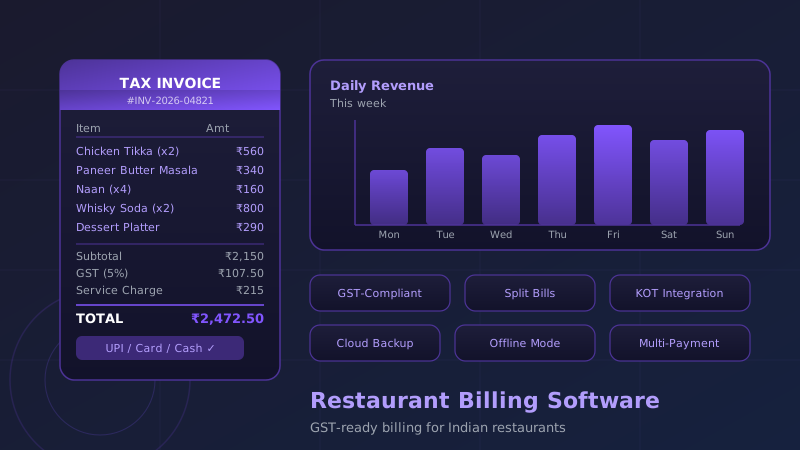
- Bill generation — Producing a GST-compliant tax invoice with itemised charges, applicable taxes, and service charges
- Payment processing — Accepting cash, card, UPI, and digital wallets and reconciling all payment modes
- Reporting — Generating daily, weekly, and monthly reports on revenue, covers, average spend, item-level sales, and more
- Inventory signals — Tracking what's been sold to flag when items are running low (in more advanced systems)
A weak billing system breaks at any one of these points — and in a busy restaurant, even a 10-minute billing slowdown on a Saturday night creates tangible guest frustration and table turnover loss.
8 Must-Have Features for Indian Restaurants
1. GST-Compliant Tax Invoices
This is non-negotiable. Your billing software must generate invoices that meet Indian GST requirements — showing GSTIN, HSN/SAC codes, CGST/SGST breakdowns, and proper invoice numbering. Manual GST calculations or missing fields create reconciliation nightmares come filing time and expose you to audit risk. Confirm that the software's invoice format is accepted by your CA before going live.
2. Split Bills and Partial Payments
A table of 6 friends rarely wants to pay together. Your software needs to handle bill splitting cleanly — by item, by cover, or by custom amount — without the floor team spending 10 minutes recalculating on a calculator. This is a surprisingly common weak point even in mid-tier systems. Test it explicitly during your demo.
3. KOT Integration with the Kitchen
A Kitchen Order Ticket system ensures that what's ordered at the table is what the kitchen sees — instantly, without a physical chit being carried across the restaurant. Good KOT integration includes category routing (food to kitchen, drinks to bar), item modifiers ("no onion", "extra spicy"), and a live status view so servers know when dishes are ready. Without this, communication errors and delays pile up during service.
4. Multiple Payment Modes in One Bill
Guests pay in every combination imaginable — part cash, part UPI, or splitting the bill three ways across different cards. Your billing system must support multi-mode payment in a single transaction without requiring manual workarounds. Built-in UPI QR code generation for guest self-pay at the table is increasingly expected, particularly in metro cities.
5. Table and Room Billing
For restaurants within hotels or resorts, the ability to post a dining charge directly to a guest's room account is essential. For standalone restaurants, the table billing view — a visual floor map showing table status, covers, and time elapsed — helps the floor manager make real-time seating decisions. This should be configurable to your actual floor layout, not a generic grid.
6. Daily and Periodic Reports
Every night, your closing report should tell you exactly: total revenue, revenue by payment mode, covers served, average spend per cover, top-selling items, and void/discount summary. Weekly and monthly reports should aggregate these into trends. If you're manually calculating any of this in a spreadsheet, your billing software is doing half a job.
7. Cloud Backup and Remote Access
When your billing system data lives only on a local hard drive and that drive fails — and it will, eventually — you're staring at a data recovery nightmare and potentially weeks of missing records. Cloud backup ensures your data is always safe, and remote access lets you check last night's numbers from your phone the next morning. Look for real-time sync rather than nightly backup.
8. Offline Mode
India's internet connectivity is good but not infallible. A billing system that freezes when the internet drops is unacceptable in a service environment. Your software must have a robust offline mode that allows full billing operations to continue locally, syncing to the cloud once connectivity is restored. Ask vendors specifically how offline mode works and how long it can operate without sync.
Common Pain Points Without Good Billing Software
If you're still running on a basic billing tool, a spreadsheet, or a system from 2015, you're likely living with some combination of these issues:
- Manual GST errors that surface during quarterly filings, requiring painful reconciliation
- Kitchen communication failures — wrong dishes, forgotten items, or delays from lost paper chits
- Cash leakage — without proper void and discount tracking, small-scale pilferage is invisible
- Slow table turns — because generating and settling a bill takes 5+ minutes instead of under 60 seconds
- Zero visibility into what's selling — menu decisions made on gut feeling rather than item-level data
- Manual end-of-day counts — reconciling cash and card payments by hand, prone to error and manipulation
A note on pilferage: Restaurant industry estimates suggest that venues without proper billing controls lose 3–8% of revenue to cash handling errors and pilferage. At Rs 2 lakh monthly revenue, that's Rs 6,000–16,000 per month walking out the door.
Pricing Models: One-Time vs. SaaS
Billing software in India is sold through two main pricing structures, each with meaningful tradeoffs:
| Model | How It Works | Typical Cost | Best For |
|---|---|---|---|
| One-Time License | Pay once, own the software. Updates may be paid separately. Usually requires local server hardware. | Rs 20,000–80,000 upfront | Venues with stable, simple needs; low ongoing budget |
| SaaS / Subscription | Monthly or annual fee. Cloud-hosted. Includes updates, support, and backups. | Rs 1,500–6,000/month | Growing venues; multi-outlet; need regular feature updates |
| SaaS + Hardware Bundle | Software subscription plus POS terminal, printer, and cash drawer included or financed. | Rs 3,000–10,000/month | New restaurants starting from scratch |
The one-time model looks cheaper upfront, but factor in the cost of upgrades, the lack of cloud backup, and the reality that many one-time license vendors effectively abandon the product after sale — no new features, slow bug fixes, and no compliance updates when GST rules change. For most growing restaurants, a SaaS model is better value over 3+ years.
Red Flags When Evaluating Vendors
The billing software market in India has dozens of players, ranging from excellent to genuinely harmful. Watch for these warning signs:
- No free trial or demo environment. Any vendor who won't let you try the software in a test environment before paying is hiding something. Insist on a hands-on demo with your actual menu loaded.
- GST compliance "coming soon." If the vendor is still building GST features in 2026, walk away. This is foundational, not optional.
- No offline mode. Or an offline mode that is poorly documented and untested. Ask to see it demonstrated.
- Single point of support. If the only support channel is a WhatsApp number to one person and that person is unavailable on weekends, you're not getting business-grade support.
- Data export is difficult or paywalled. Your billing data is yours. If exporting your own data requires a special request or an additional fee, that's a control problem, not a feature.
- No references from similar venues. Ask specifically for restaurants in your format and city. A system that works for a 10-table QSR may be entirely unsuitable for a 90-cover fine-dining outlet with a full bar.
- Contract lock-in longer than 12 months with no exit clause. Standard in the industry is a 12-month initial term with annual renewal. Multi-year lock-ins with no exit clauses are a red flag.
Features Checklist: A Quick-Reference Table
| Feature | Must Have | Nice to Have |
|---|---|---|
| GST-compliant tax invoices | Yes | — |
| Split bill (by item / cover) | Yes | — |
| KOT routing to kitchen/bar | Yes | — |
| Multi-payment mode settlement | Yes | — |
| UPI QR at table | — | Yes |
| Visual floor map / table billing | Yes | — |
| Room posting (hotel F&B) | If hotel | — |
| Daily & periodic reports | Yes | — |
| Item-level sales analytics | Yes | — |
| Cloud backup | Yes | — |
| Real-time remote access | — | Yes |
| Offline mode | Yes | — |
| Void / discount tracking with reason codes | Yes | — |
| Inventory integration | — | Yes |
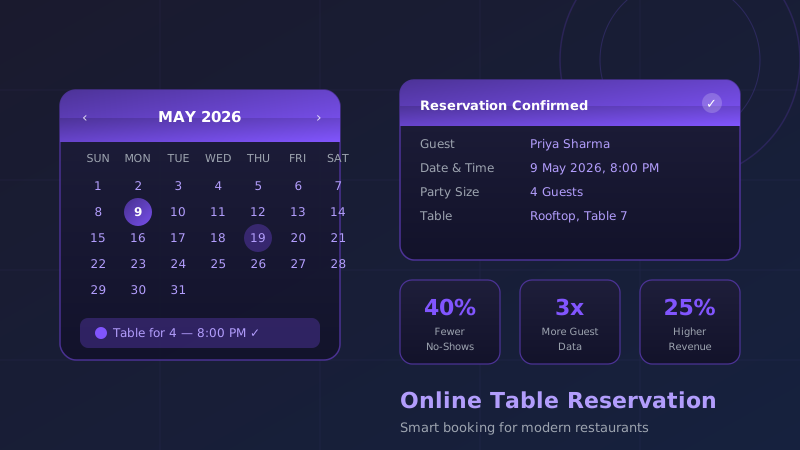
| Reservation system integration | — | Yes |
| CRM / loyalty integration | — | Yes |
Where ZillOut Fits In
If you're looking for a billing system that doesn't operate in isolation, ZillOut builds billing as part of a broader venue management platform — one where your POS, digital menu, reservation system, and guest CRM are all connected. This matters because the data your billing system generates — what's selling, at what times, to which guest segments — is only valuable when it flows into the rest of your operations.
For Indian restaurants specifically, ZillOut handles GST compliance, multi-payment settlement, KOT routing, and offline mode, while connecting natively with table reservations and WhatsApp-based guest communication. Venues typically go live within three days, with setup support included.
Final Thoughts
The right billing software makes your restaurant run quieter. Orders move faster. Errors drop. End-of-day is a 10-minute exercise rather than a 2-hour ordeal. And your accountant stops sending panicked messages before GST filing day.
When evaluating your options, don't anchor on price alone. Calculate the cost of errors, the cost of slow table turns, and the cost of missing data. A system that costs Rs 1,000 more per month but eliminates Rs 10,000 in monthly leakage is obviously better value. Evaluate on capability, support quality, and fit for your specific venue format — and always, always test it before you commit.
Frequently Asked Questions
What is restaurant billing software?
Restaurant billing software automates the generation of GST-compliant invoices, handles split bills, manages KOT printing, and reconciles daily sales. Modern billing software is cloud-based and integrates with your POS, digital menu, and accounting tools — replacing manual billing books entirely.
Does restaurant billing software support GST in India?
Yes — any reputable restaurant billing software in India generates GST-compliant invoices with CGST/SGST/IGST breakdowns. Look for software that handles multiple GST slabs (5% for most restaurant food, 18% for AC restaurants and alcohol) and generates GSTR-1 export files for easy filing.
What is the difference between POS and billing software?
Billing software focuses on generating invoices and handling payments. A POS system does all that plus order entry, table management, KOT routing to the kitchen, inventory deduction, and detailed reporting. Most modern restaurant POS systems include billing as one module rather than a standalone tool.
How much does restaurant billing software cost in India?
Cloud-based restaurant billing solutions in India range from ₹999 to ₹5,000 per month depending on features and number of outlets. Some providers charge per transaction or per user. Always calculate the total cost of ownership including hardware, support, and mandatory add-ons before committing.
Can billing software print KOTs (Kitchen Order Tickets)?
Yes — kitchen order ticket printing is a standard feature in any serious restaurant billing or POS system. KOTs route orders to the correct printer (kitchen, bar, live station) automatically, reducing verbal miscommunication and speeding up service times. Thermal KOT printers cost ₹3,000–₹8,000 in India.