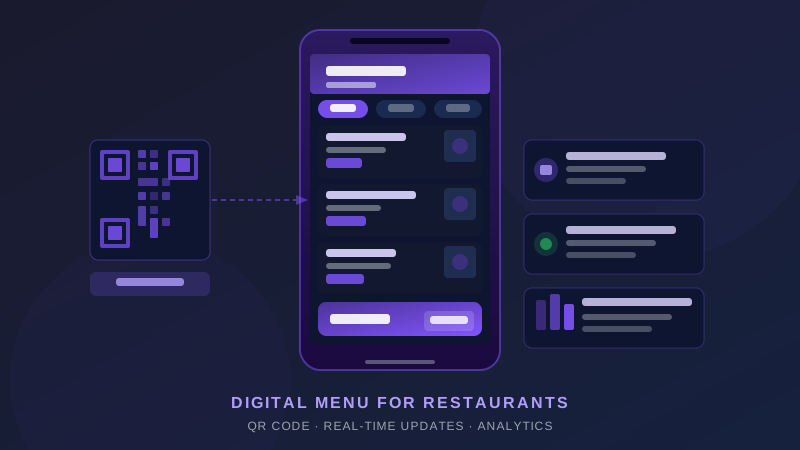
The words "digital menu" get thrown around constantly in the restaurant industry. But there's a massive gap between a PDF uploaded to Google Drive with a QR code stuck to the table, and a genuinely intelligent digital menu that drives revenue, saves time, and gives you real control over your offerings.
This guide explains what a proper digital menu is, how it differs from a static PDF, and exactly why your restaurant needs one — not as a novelty, but as a core operational tool in 2026.
What Is a Digital Menu?
A digital menu is a web-based or app-based interface that guests use to browse your restaurant's offerings on their own device or a venue-provided screen. The three main formats are:
QR Code Menu
Guests scan a QR code at their table using their smartphone camera. The menu opens in their browser — no app download required. This is the most widely used format for dine-in restaurants in India and globally. Done well, a QR code menu is fast, frictionless, and supports ordering and payment directly from the guest's phone.
Tablet Menu
A tablet is placed at each table, running a dedicated menu app. Common in casual dining and quick-service formats. Higher upfront cost (hardware) but gives you control over the experience since guests don't need their own device.
Screen-Based Display Menu
Large screens mounted at the counter or bar showing your menu items, typically with visual imagery. Common in QSRs, cloud kitchens, and food court counters. These are primarily display menus — not interactive ordering — but can be highly effective for impulse purchases and upsells.
Important distinction: A digital menu is not a PDF. A PDF is a static file that requires you to reprint (or re-upload) every time something changes. A true digital menu is a live, dynamic system you can update in real time from any device.
How a Digital Menu Differs from a PDF Menu
| Feature | PDF / Printed Menu | Digital Menu |
|---|---|---|
| Update speed | Requires reprinting or re-uploading | Live updates in under 60 seconds |
| Item availability | Static — shows items even if sold out | Real-time availability toggle |
| Upsell capability | None (passive display) | Recommended pairings, add-ons, combos |
| Analytics | Zero — you can't track what guests look at | Views per item, click-through, order conversion |
| Language support | Fixed at print time | Instant language switching |
| Printing cost | Rs 3,000 – Rs 30,000+ per reprint run | Zero per update |
| Visual richness | Photos are expensive to print in quality | High-res images and video for every item |
| Ordering capability | None — requires staff to take order | Self-ordering and payment possible |
6 Real Benefits of a Digital Menu for Your Restaurant
1. Real-Time Updates — No More "Sorry, That's Unavailable"
One of the most frustrating guest experiences is ordering something, only to be told by a server that it's 86'd. With a digital menu, you mark an item as unavailable in seconds and it disappears from the menu immediately. Every guest sees the live version of your menu — no exceptions, no embarrassment.
This also means you can update prices, descriptions, and seasonal items without any operational friction. Decide to add a lunch special at 11:45 AM? It's live in under a minute.
2. Increased Upsells Through Smart Suggestions
Physical menus can't suggest pairings. A digital menu can. When a guest selects a main course, the system can automatically surface a recommended side, a wine pairing, or a dessert. These contextual suggestions, placed at the right moment in the ordering flow, consistently increase average order value by 8–15% in well-implemented systems.
You can also highlight chef's specials, high-margin items, or new additions with badges and visual callouts — without asking your servers to memorise and pitch every new item.
3. Significant Cost Savings on Printing
A typical restaurant with 60 covers reprints menus every 3–6 months. Quality printed menus (laminated, spiral-bound, or leather-cover) cost Rs 150–500 per copy. For 60 menus reprinted twice a year, that's Rs 18,000–Rs 60,000 annually — before accounting for the design and layout fees every time items change.
A digital menu eliminates this entirely. The investment in a digital menu system typically pays for itself within 3–6 months purely on printing cost savings.
4. Menu Analytics You Actually Act On
Digital menus generate data that physical menus never could:
- Which items get the most views but the fewest orders (description or price problem?)
- Which categories guests browse longest (are they overwhelmed by choice?)
- Time-of-day patterns in what guests view vs. order
- Drop-off points in the ordering flow
This is real menu engineering data. The best restaurants use it to continuously refine their menu — removing items that look good on paper but don't convert, and doubling down on the items guests actually want.
5. Multilingual Support for Diverse Guests
India's tourist footprint — both domestic and international — means your guests may span a dozen languages. A digital menu can support instant language switching, letting guests browse in Hindi, English, Tamil, Mandarin, or any other language you configure. This is a genuine differentiator in hotel restaurants, tourist-area venues, and premium dining.
6. Allergen and Dietary Information at Scale
Guests with allergies, dietary restrictions (vegan, halal, jain), or specific health requirements are increasingly vocal about needing detailed information. A digital menu lets you tag every item with detailed dietary and allergen information, filterable by the guest. This reduces staff workload (fewer ingredient questions) and reduces liability.
How to Set Up a Digital Menu for Your Restaurant
- Choose your platform — Look for a system that's web-based (no app download for guests), supports real-time updates, and integrates with your POS
- Build your menu structure — Organise items into clear categories; a well-structured digital menu typically has 5–8 top-level categories with 6–12 items each
- Add photography — Items with photos consistently outperform text-only entries; invest in one professional food photography session
- Write descriptions that sell — "Grilled chicken breast" versus "Free-range chicken grilled over coals, served with roasted garlic aioli and seasonal greens" — the second one sells
- Set up modifiers and add-ons — Configure your sides, sizes, cooking preferences, and add-ons in the system
- Test before launch — Walk through the ordering flow on multiple devices and browsers before your guests do
- Print and place QR codes — Use durable table tent cards or integrated QR codes on table surfaces
What to Look for in a Digital Menu System
Not all digital menu platforms are equal. Here's your evaluation checklist:
- No app download required — Any friction in the scanning experience kills adoption
- Mobile-optimised design — 95%+ of guests will view it on a smartphone; desktop-first designs perform poorly
- Real-time item toggling — You must be able to mark items available/unavailable instantly
- POS integration — Orders placed on the digital menu should flow directly to your POS and kitchen
- Analytics dashboard — View data, not just raw exports
- Multi-location support — If you have more than one outlet, can you manage all menus from one account?
- Custom branding — Your digital menu should feel like your brand, not the platform's brand
- Fast load time — A menu that takes 8 seconds to load on a 4G connection is a menu guests give up on
Digital Menus as Part of a Bigger System
The most forward-thinking restaurants aren't treating digital menus as isolated tools. They're connecting the menu to reservations, loyalty programs, and guest data. When a returning guest scans your QR code, an intelligent system can surface their past favourites, flag items they ordered before, and suggest based on the occasion they booked for.
This is where platforms like ZillOut come in — where the digital menu isn't a standalone tool but part of a connected guest experience layer, feeding into your CRM, your kitchen operations, and your revenue reporting. If you're thinking beyond just "a menu on a phone," it's worth exploring what an integrated approach looks like for your venue.
The Bottom Line
A digital menu for your restaurant is not optional in 2026 — it's table stakes. The printing cost savings alone justify the switch. The real-time control, upsell capability, and analytics are the compounding advantages that separate high-performing venues from average ones.
The only question is whether you implement a bare-minimum QR-to-PDF setup that checks a box, or a properly built digital menu system that actively works for you every service. The difference is significant — and it shows in your revenue per cover.
Frequently Asked Questions
What is a digital menu for restaurants?
A digital menu is a QR-code-based or app-based menu that replaces printed menu cards. Guests scan a QR code with their phone and browse the full menu — with photos, descriptions, prices, and allergen info. Operators can update items, prices, and availability in real time from any device.
How much does a QR menu cost in India?
Basic QR menu tools start from free (with limited features). Feature-rich digital menu solutions with analytics, upsell suggestions, and integrations typically cost ₹500–₹3,000 per month per outlet. ZillOut includes digital menus as part of its venue management platform at no additional per-feature charge.
Do digital menus actually increase restaurant sales?
Yes — consistently. Restaurants that switch to digital menus with high-quality photos report average order value increases of 10–30%. Visual presentation, smart item placement, and contextual upsell prompts (e.g., 'Add garlic bread for ₹79') drive higher spend per table without any staff effort.
Can I update my QR menu without reprinting QR codes?
Yes — this is one of the biggest advantages of digital menus. The QR code points to a dynamic URL. When you update your menu on the backend (change prices, add dishes, mark items as sold out), the change reflects instantly for every guest scanning the same QR code.
Is a QR digital menu better than a printed menu?
For most modern restaurants, yes. Digital menus eliminate reprint costs (typically ₹3,000–₹15,000 per refresh), allow real-time updates, support multiple languages, and work as a silent upsell tool. The only scenario where printed menus still have an edge is ultra-premium fine-dining where tactile experience is part of the brand.